
Delete Your List Buddy Account
Important: Account deletion is permanent and cannot be undone. All associated data will be permanently removed.
How to Delete Your Account
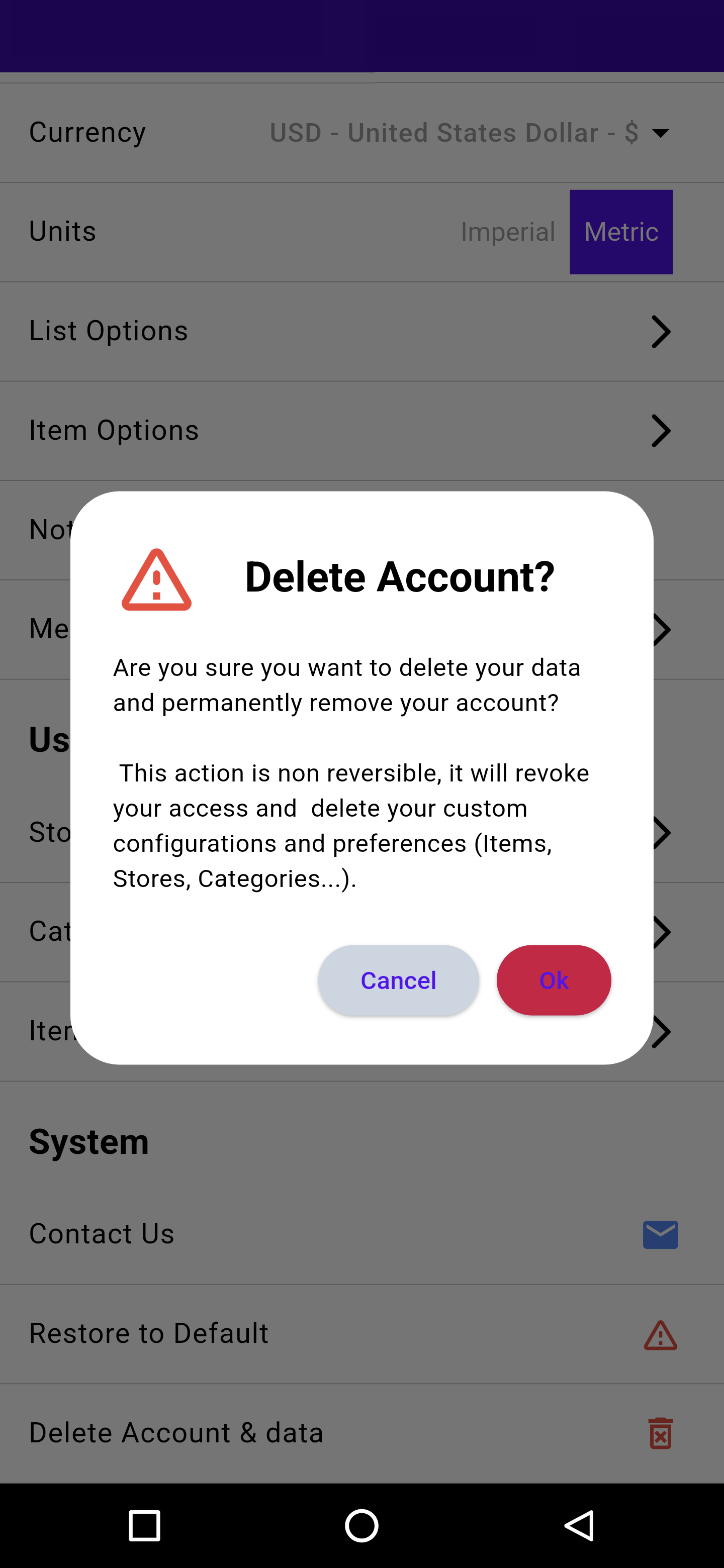
- Open the List Buddy app
- Tap on “Settings” in the main menu
- Scroll down to the “System” section
- Tap on “Delete Account & data”
- In the confirmation dialog, tap “Ok” to confirm deletion
What Gets Deleted
The following data will be permanently deleted:
- Your account information
- Custom configurations and preferences
- Stored items and categories
- Store information
- All associated personal data
Data Retention
Upon deletion, your account and personal data are immediately and permanently removed from our active systems. For legal and technical reasons, some data may remain in our backup systems for up to 30 days before being permanently deleted.
Need Help?
If you're having trouble deleting your account or have questions about the process, please contact our support team or use the “Contact Us” option in the app's Settings menu.